E-Office Cloud based Human Resources S/W Platform
About the Project
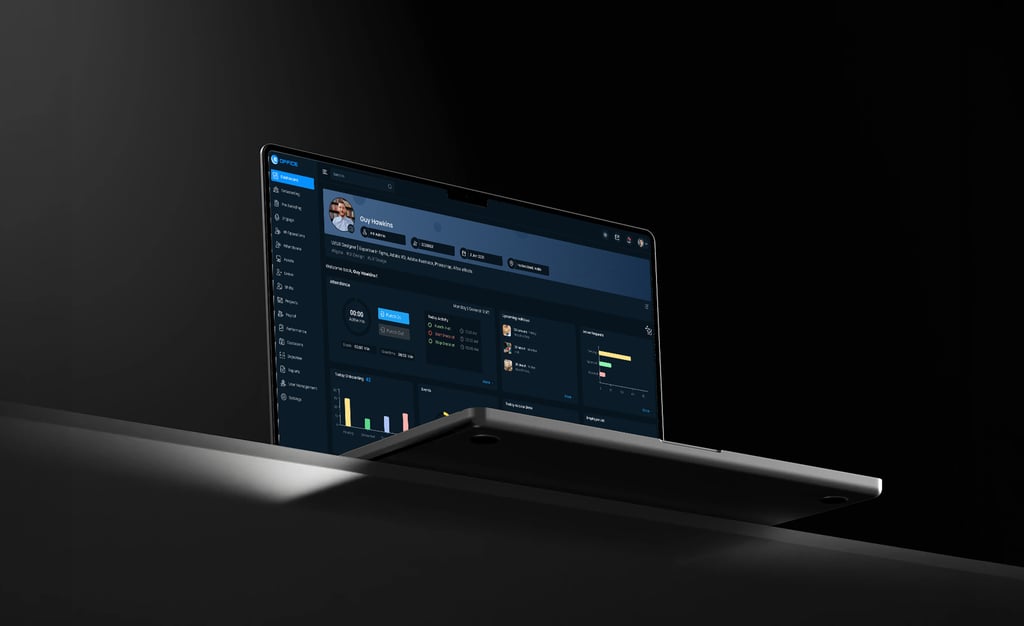
Eoffice is a cloud-based human resources (HR) software platform designed to streamline HR processes and enhance employee management. It includes features such as an employee database, time-off tracking, Onboarding, Preboarding tracking system , Leave Management , reporting and analytics Etc. Eoffice is known for its user-friendly interface and is popular among small and medium-sized businesses seeking efficient HR solutions.
Problem Statement
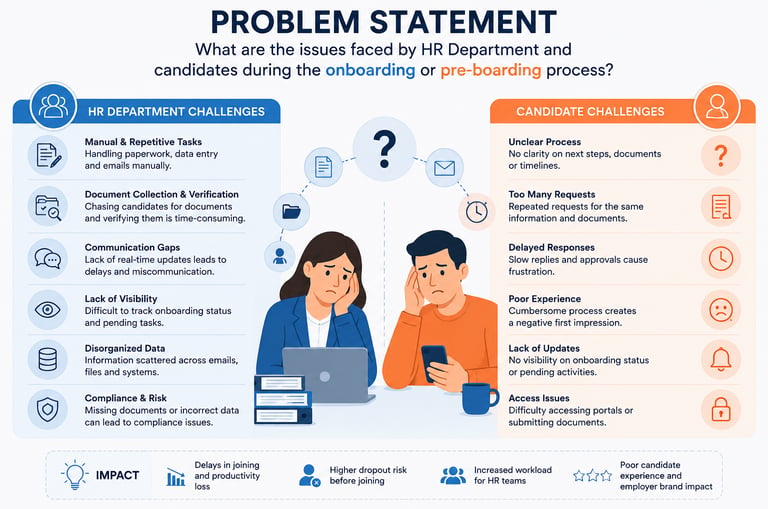
What are the issues faced by HR Department and candidates during the onboarding or pre-boarding process?
For Human Resource Department:
Manual onboarding is slow and error-prone, risking fake document acceptance. HR communication challenges lead to confusion for new hires. Lack of prompt document status updates creates candidate uncertainty. Inefficient offer letter distribution causes potential delays.
For Candidates:
Candidates get frustrated when roles and responsibilities are unclear during onboarding. They struggle with unclear communication about document requirements and verification. Anxiety and confusion arise from uncertainty about document verification status. Delays in receiving offer letters cause frustration and uncertainty.
Possible Solution
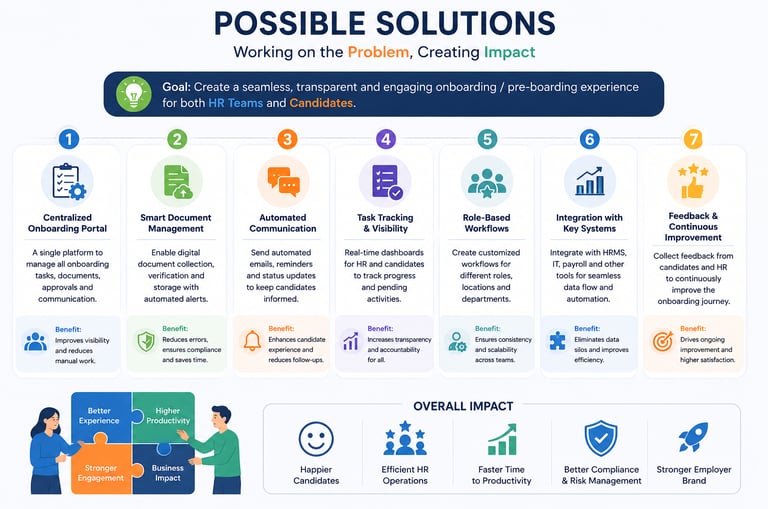
Efficient onboarding and pre-boarding processes benefit both HR Department and Candidates. Here are some solutions:
For Human Resource Department:
Invest in a digital onboarding and pre-boarding platform for HR teams to automate workflows, track tasks, and communicate with new hires. Set reminders for task completion before start dates and provide timely updates on document check status. Implement a digital offer letter management system for easy viewing, downloading, and digital signing of offer letters.
For Candidates:
Develop a thorough onboarding guide with roles, responsibilities, and expectations, maintaining open communication with candidates. Establish a detailed document checklist for required submissions and verification timelines. Offer regular status updates and clear channels for inquiries to alleviate document-related concerns. Upon digital document verification completion, ensure candidates promptly receive their offer letters.
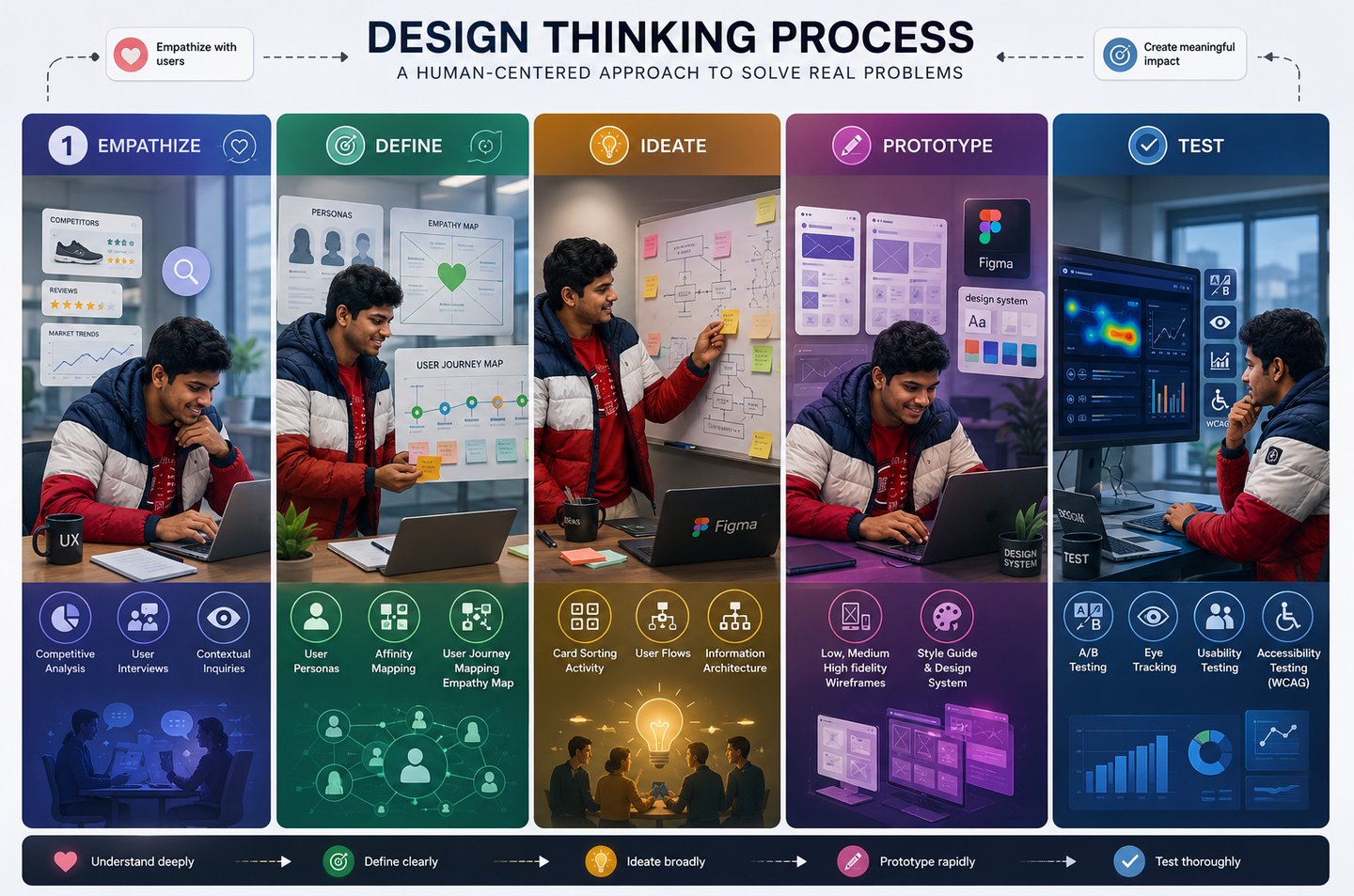
Design Process-
Stakeholder Interview
During the development of our design system, stakeholder interviews were conducted to gather valuable insights and feedback from key individuals.
Description:
Eoffice is as a comprehensive human resources and payroll management software designed to streamline HR processes for organizations.
Objective:
Eoffice aims to simplify HR and payroll management for organizations, ensuring efficiency, compliance, accuracy, and empowering employees through self-service options.
Business Goal:
To offer organizations a robust HR and payroll management solution, streamlining processes, ensuring compliance, and optimizing workforce management efficiency.
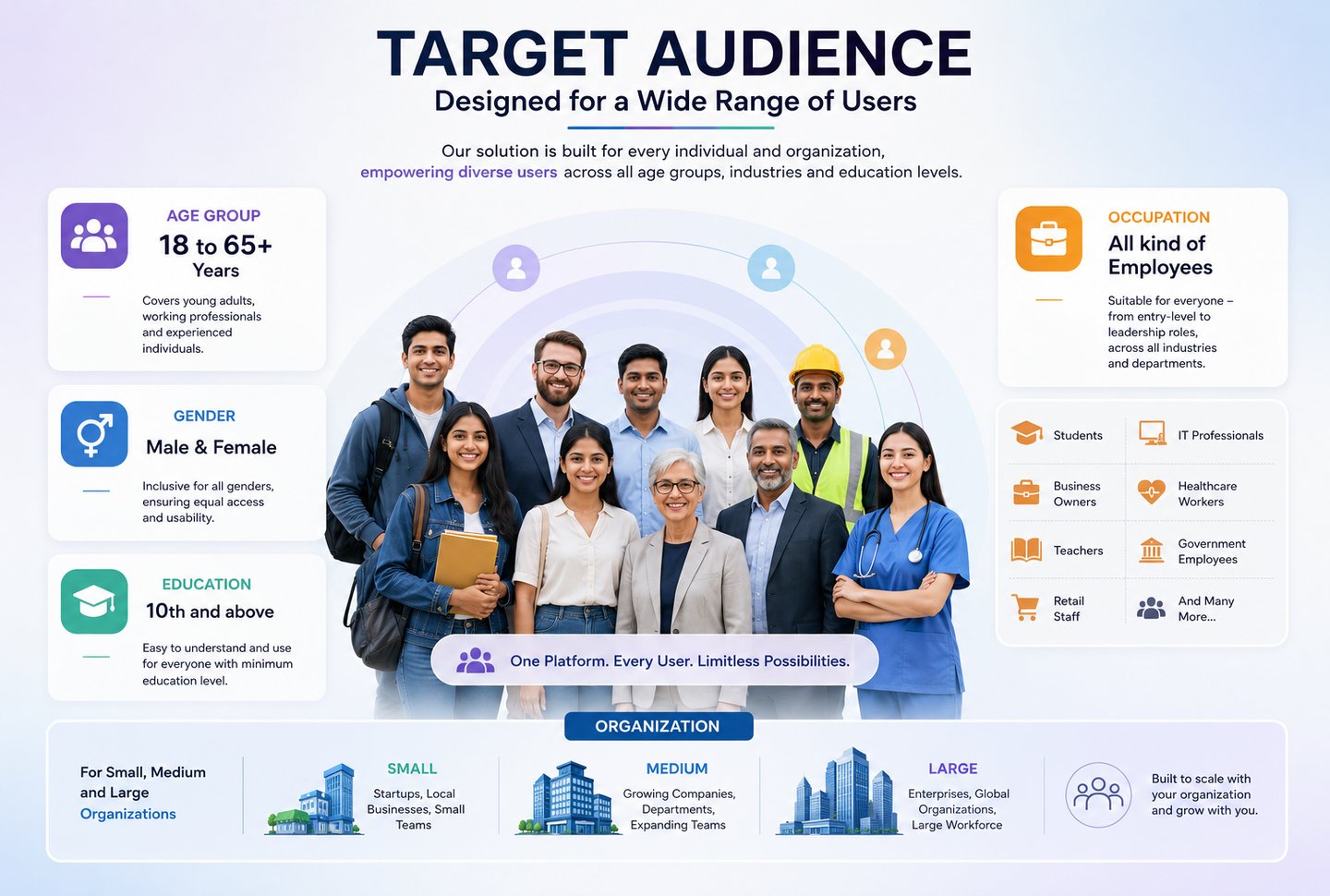
Target Audience:
Description:
User Role:
Administrator: Full control over system settings, user management, and access permissions.
HR Manager/Coordinator: Manages onboarding tasks, monitors progress, and communicates with new hires.
Manager/Supervisor: Oversees onboarding for their team members.
Employee/New Hire: Completes tasks and accesses resources.
Trainer/Mentor/Buddy: Supports new hires with training and guidance.
Business Type:
B2B (Business to Business)
Revenue Model:
There are three plans for this product:
Basic, Standard, Pro
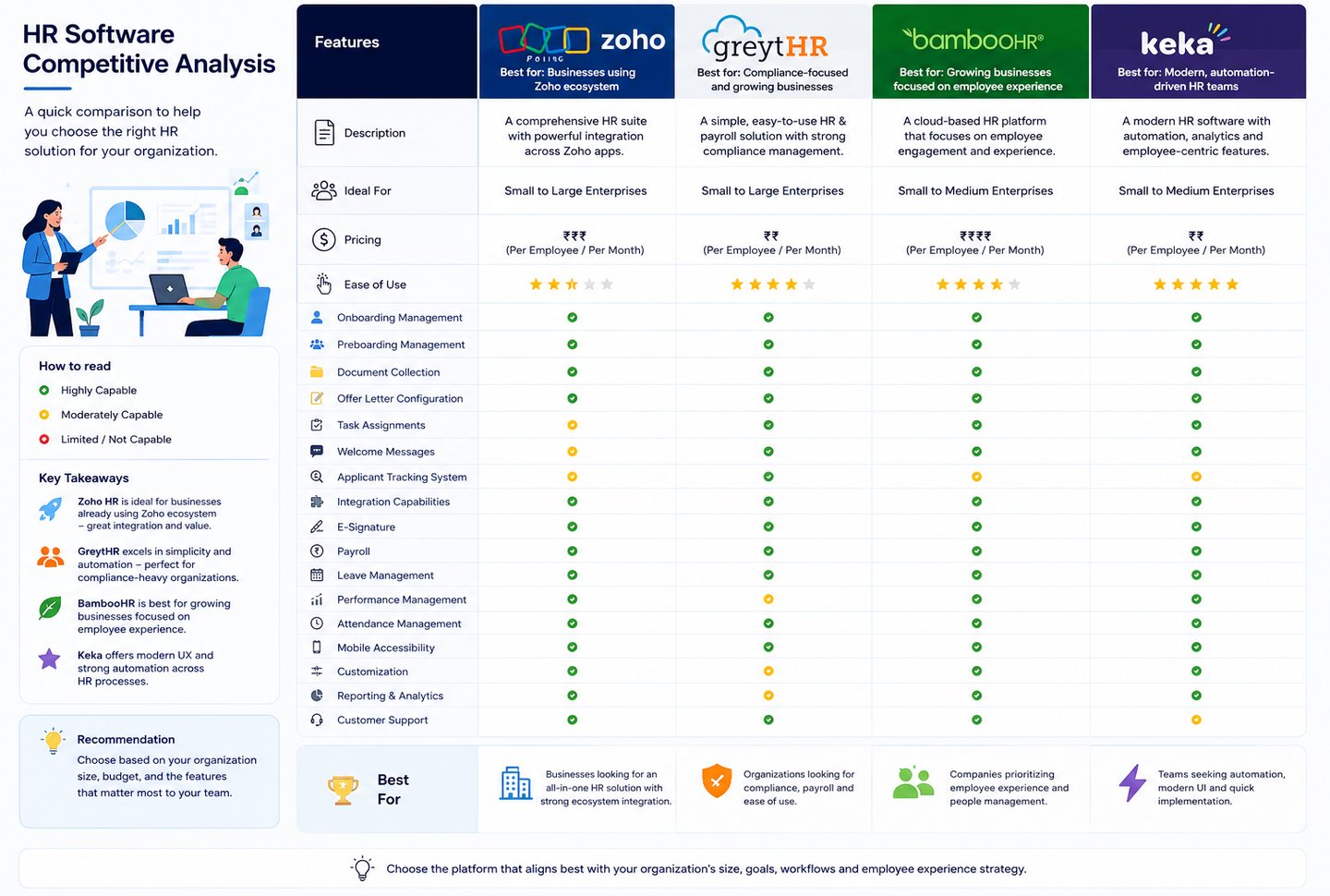
Competitors:


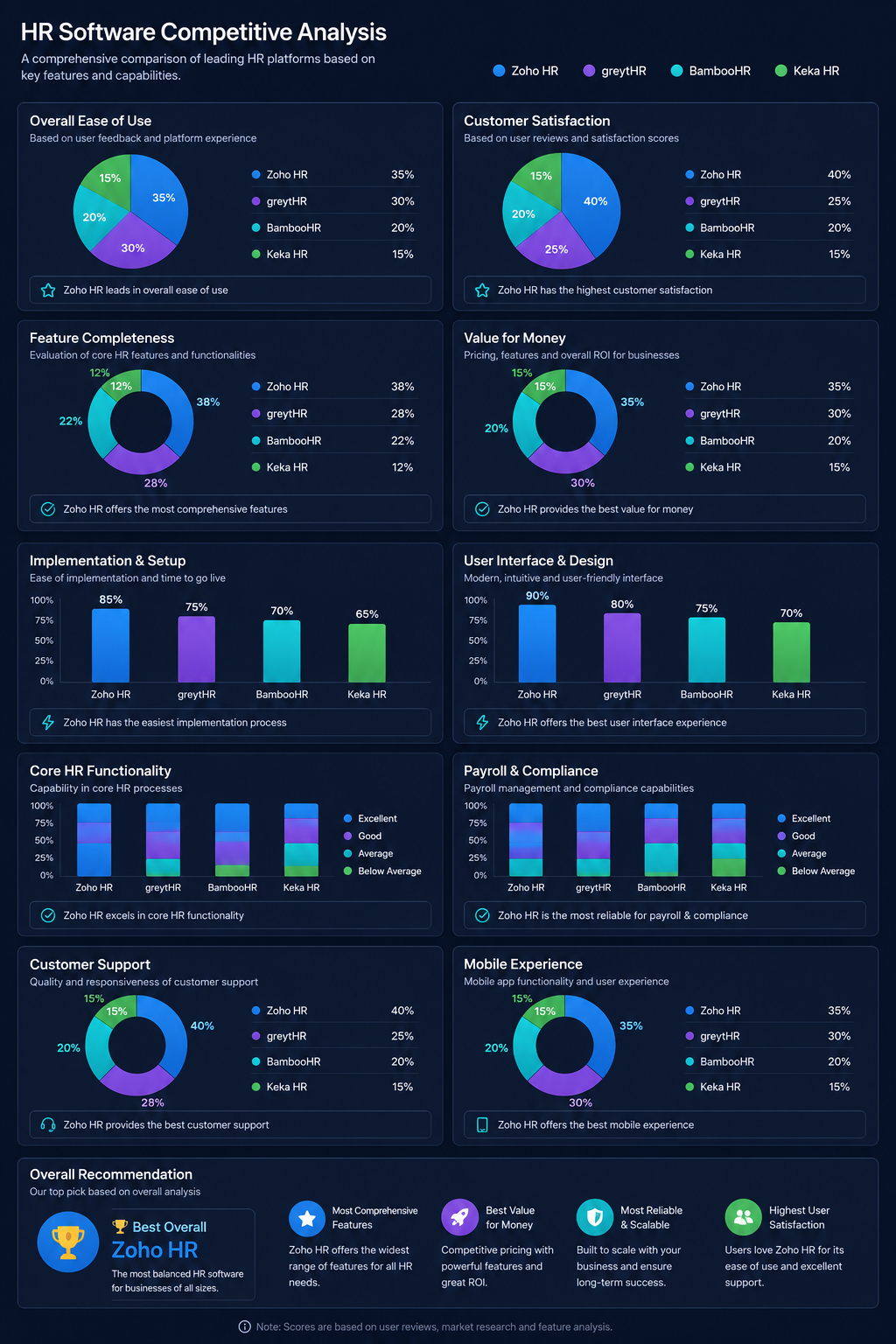
Competitive Analysis
Examining and evaluating competitors' products or services to recognize their strengths, weaknesses, and potential areas for differentiation.
User Research
Onboarding and preboarding are critical stages in an employee's journey. User research is key to optimizing these processes for enhanced efficiency and effectiveness.
Qualitative Research
Conducted interviews with four users to understand their challenges with the preboarding and onboarding system. Below are a few of the questions asked:
HR Professionals
How do you remember the candidate's join date?
How do you currently help new hires with pre-boarding?
What steps do you follow in your pre-boarding process?
Do you face any challenges or difficulties when getting new hires ready before their start date?
How do you communicate pre-boarding information to new hires?
Could you outline the usual steps involved in onboarding new hires at your company?
How do you currently manage the document verification process for new hires?
How do you verify that documents are accurate, complete, and meet legal requirements?
What tools or systems do you utilize to assist with document verification?
How do you currently create and send offer letters to candidates?
Candidates
How did the company communicate pre-boarding information to you?
Were there any gaps or delays in communication during the pre-boarding phase?
How would you describe your overall onboarding experience with the company?
Did you encounter any parts of the onboarding that were tough to understand or confusing?
Were the instructions for reviewing and signing documents easy to understand and follow?
Could you outline the usual steps involved in onboarding new hires at your company?
How can we enhance the document verification process to make it smoother for candidates?
How did you feel when you received the offer letter from the company?
Were there any aspects of the offer letter that were unclear or confusing to you?
Quantitative Research
I took part in a quantitative research survey aimed at improving the onboarding and pre-boarding processes. It explored different aspects to gather insights for enhancing the experiences of new hires, making their transition into the organization smoother. A total 23 member responded which assisted us in frame the problem correctly. Here is a common Questions listed below for both HR and candidates:
Pre-boarding & Onboarding
How would you like to communicate during your pre-boarding and onboarding?
Which channels do you think work best for getting pre-boarding and onboarding information?
How willing are you to share your feedback about your pre-boarding and onboarding experiences?
What level of support do you expect to receive from HR during your pre-boarding and onboarding journey?
How do you prefer to submit required documents during the pre-boarding process?
How clear were the document requirements communicated to you by HR?
What challenges, if any, have you encountered during the document verification process?
Verification & Other processes
How were you updated on the status of your document verification process?
What assistance would have been beneficial for you during the document collection and verification process?
How smooth was the process of acknowledging and accepting your offer letter?
Which method of offer letter delivery did you find most convenient and effective?
What are your expectations for your first day of onboarding?
How well were the company policies communicated and explained to you during the onboarding process?
How smooth was the process for acknowledging and signing company policies?


After conducting user interviews, stakeholder discussions, and surveys, I organized the collected insights using Affinity Mapping to identify recurring themes and user pain points. This process helped group related observations, uncover patterns in HR workflows, and prioritize user needs. The affinity map provided a clear understanding of recruitment, employee management, and onboarding challenges. These insights guided the design strategy and informed key product decisions, ensuring the final solution aligned with both user expectations and business goals.
With the data collected from the surveys and interviews, I created a persona for both HR and Candidate. The persona helped me arrive at a better solution as it gave me an in-depth understanding of the user's goals, frustrations, and overall personality.


Customer Journey Maps
I created a user journey map to track user experiences over time and visualize how HR and candidates feel at different stages. This would help us learn more about our target users.


Empathy Maps
To empathise with the user, I created an empathy map for better connectivity and understanding. It aids in gaining deep and better insights into the user. Here, I have mapped the responses of HR and candidates regarding what they see, Hear, Think, and Say.


Card Sorting
Arranging ideas and content into logical groups is essential. This process lays the foundation for the product and enables us to design a more effective information architecture.


Information Architecture
Information architecture focuses on organising, structuring, and labelling content in a way that is effective and sustainable. Its primary goal is to assist users in finding information and completing tasks efficiently.


Information Architecture
A user flow visually outlines every step a user takes from entry to exit in an Product. It's useful for me to grasp how users navigate, make decisions, and complete the overall product experience comprehensively.


High-fidelity wireframes are incorporated into the prototypes.
Building on insights from low-fidelity sketches, I translated the validated layouts and flows into high-fidelity wireframes that reflected the complexity of a real HRMS. Screens for dashboards, employee records, approvals, and reporting were designed with accurate content, clear visual hierarchy, and defined interactive states. This level of detail gave stakeholders and developers a shared, realistic preview of the system before development began.


Usability Testing for the Project:
I used the prototype to conduct a usability test in the eOffice Preboarding and Onboarding flows. I assigned tasks to users, which are listed below. There were Positive and Negative feedbacks:


I conducted usability testing for the HRMS onboarding module with a diverse set of target users, including HR professionals and candidates. Using Mural, UsabilityTesting.com, and FigJam, I facilitated task-based sessions that mirrored real pre-boarding and onboarding workflows. Participants completed all eight core tasks successfully, validating the clarity of the flow and the overall ease of navigation. Their feedback confirmed that document submission, offer acceptance, and policy signing were intuitive across both user groups. The two actionable recommendations that emerged were prioritized and carried directly into the next design iteration.